SANDYNE 2.5#
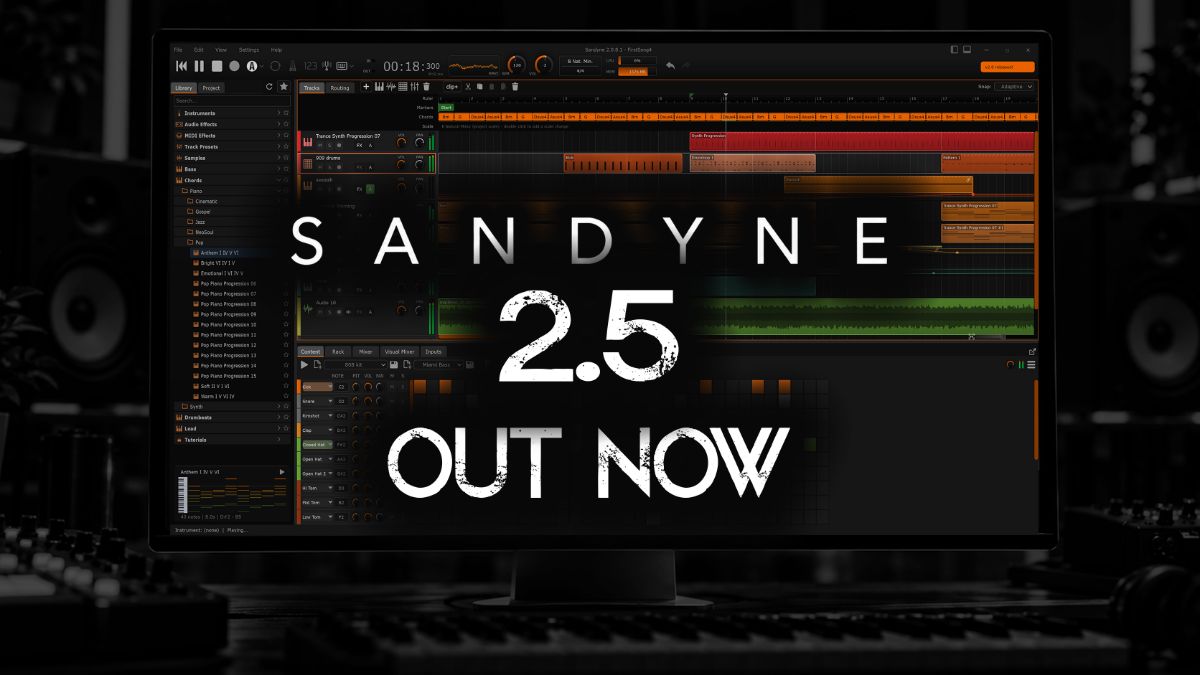
2.5 is here. It adds a Recorder and a MIDI Recorder
that catch what you play, multitrack recording, a Routing tab you patch by hand,
clips you can loop and stretch, a Harmony view in the piano roll, ten new Syna
oscillators and Audio Unit support on the Mac.
Watch the highlights at
https://youtu.be/rf4sWoGv4AI
New: Recorder and MIDI Recorder
- Recorder — put it in any effect slot to capture what passes through, then edit the take in a built-in sample editor.
- Record manually, on play or on signal, with a recording length from 1 minute to unlimited.
- Play the take back through the slot, drag it onto the timeline, or turn a selection into a new clip.
- Takes are written to disk while they record, and silent takes are thrown away.
- MIDI Recorder — captures the notes you play, even with the transport stopped.
- Play it back, loop it, open a MIDI file into it, save it as MIDI, or turn it into a new piano roll track.
- A recording in progress is backed up to the project folder every 15 seconds.
Recording
- Multitrack recording: arm several audio tracks and record each from its own input at the same time.
- Up to 128 tracks (was 64)
- Keyboard shortcuts for Record and the Metronome.
- Per-track MIDI playback offset moves a track’s MIDI up to 500 ms earlier or later.
Syna
- Ten new oscillators: AM Sync, Feedback Saw, Vowel, Harmonic Scan, Pulsar, Drawbar, LFSR Noise, Undertone, Mallet and Chord Stack.
- New waveform browser with families and search; hover over a waveform to see its shape animate.
- The PW knob now does something on every oscillator, with its own role for each waveform.
- Filter Mode knob: low-pass, band-pass, high-pass and notch.
- Click a section title (FILTER, FILTER ENV, AMP ENV) to switch that section on or off.
Other instruments
- Analog Drums: more algorithms, per-voice mute, solo and choke, a mod matrix and expression controls.
- Analog Drums: Volume now goes up to +6 dB.
- Terrain: five new landscapes.
- Terrain, Sub, Water and Sampler: new pitch envelope.
- Drums: send a pattern to another track’s instrument or to a MIDI output.
- New drum fills for every style.
Effects
- New Multiband compressor — up to six freely placed bands, each with its own compression and optional sidechain.
- New Echo — a feedback delay with 18 factory presets.
- New Gain utility for trim and channel work.
- New Noise Gate replaces Gate, with a level history graph.
- Limiter and Compressor: a new Opto engine; projects saved earlier keep their original sound.
- Limiter and Compressor: switching modes keeps the level matched.
- Compressor: VCA Color, plus an EXT button that shows its sidechain source.
- Maximizer: a second, more authentic mode.
- Exciter: richer harmonics.
- New visualizers in Exciter, Maximizer, J-Chorus and MicroShift; MicroShift also gets presets.
- Visualizer: redesigned Scope view; Visualizer and EQ panels resize by dragging their right edge.
- MIDI Router: note range filter.
Sound quality
- Sample clips, drum hits, Sampler and Slicer use a high-quality resampler, so highs are cleaner when a sample’s rate differs from the project’s or it is pitched up.
- Overdrive and Tape are oversampled, with much less harsh aliasing at high drive.
Timeline & clips
- Clip looping: drag a clip’s right edge past its end to repeat it (can be turned off in Preferences)
- Time-stretch audio clips with Alt + drag on a clip edge.
- Overlapping audio clips crossfade.
- Adaptive grid snap follows your zoom level, and clip edges snap magnetically.
- Follow playhead: the arrangement scrolls with playback.
- Choose what Stop does: by default it returns to where playback started, and a second Stop goes back to the beginning.
- Add a clip at the playhead, or one that fills the loop range.
- A splitter between a track’s clips and its automation lanes, saved with the project; a collapsed track folds its lanes away.
Piano roll & harmony
- New Harmony dropdown shows chords and scales; every scale tone is tinted, and notes are coloured by key.
- Mini chord lane, Detect chords to Harmony lane from a clip’s right-click menu, and Clear all chords.
- New Erase and Mute tools.
- Quantize is now a split button with options.
- Pinch a trackpad to zoom where you’re pointing.
- Copy and paste clip automation between lanes (e.g. CC 1 to CC 11)
MIDI import & export
- A multi-track MIDI file becomes one track per part.
- Dropping MIDI below the tracks creates a Syna track; dropping it on a track adds a clip and keeps the track’s name.
- Export selected clips as MIDI; the export matches what the clips play.
Automation & modulation
- New step sequencer modulator, locked to the transport when synced.
- Automation curves bend more visibly and can go fully abrupt.
- Automation lanes: a size setting, multi-point selection, and lanes in the track’s own colour.
- Plugin parameters in the modulation and automation pickers are grouped, filtered and searchable.
Routing & mixing
- The Routing tab is now a patch bay: drag between ports to connect, then select a route and press Delete to remove it.
- It also shows the routes that bypass a track’s main output, such as drum rows and multi-output instruments.
- Buses can feed other buses, laid out in columns.
- Double-click empty space in the Routing tab to add a track.
- Mixer: faders stay visible on collapsed strips, and inserts and sends grow with the panel.
- Visual Mixer: a track filter, plus a pan curve showing where the mix’s energy sits, with the selected track drawn on it.
- Metering: every level meter in the app shares one scale, fall speed and colour scheme.
Plugins
- Audio Unit (AU) support on macOS. (AUv3 not yet)
- Plugin pickers: type filter, a resizable grid and A-Z sorting.
- A more robust plugin scanner: a stuck plugin is timed out and named, with no error pop-ups.
- Export can render at real-time speed (1x) for plugins that can’t run faster.
Controls & workflow
- New track preset picker: a quick list or a three-pane browser showing description, tags and signal chain.
- Preset manager: search and clickable stars.
- Knob values: an optional value bubble, and every change shown in the status bar.
- Tooltips show each control’s current keyboard shortcut.
- Zoom to Fit button in every editor.
- Open any bottom tab in a window of its own, with the layout restored next time; hide Mixer, Visual Mixer or Inputs from View > Context Tabs.
- The DAW you pick on the welcome screen also sets Stop behaviour, auto-scroll, clip looping and transport shortcuts.
- Sample editor: Snap dropdown, a hover line showing the time under the pointer, an Audio file info section, and Playtime and Pitch slider popups.
- Remote control can be limited to this computer; controller scripts go in
Documents/Sandyne/Controllers.
Tutorials
- New hands-on lessons played with real mouse gestures: audio clips, the piano roll, drum beats, lanes, and routing through a bus.
- Tutorials are translated.
- Playback speed control, one-click start, and lessons ordered basics first.
Translations
- Added German and Simplified Chinese.
Performance & polish
- More responsive under heavy load: the OpenGL renderer lowers its frame rate instead of switching off.
- Audio files import in the background.
- A plugin that outputs broken audio is silenced at its slot, and SANDYNE tells you which plugin it was.
- Crash reports can include an optional contact email to help you troubleshoot it.
- Refreshed visuals: a new playhead with a triangle head, flag-style loop markers, redesigned piano keys, a switchable logo in the arrangement, a playhead colour setting and a Halloween colour theme.
All platforms — Windows, Mac and Linux — are now on 2.5. Grab it on the download page.